Plans
Paid plans — Starter, Pro, Hero, and Enterprise — differ by limits, not features:- Storage for workspace files and media
- Connected integrations per workspace
- Team members per workspace
- Included monthly AI budget for content generation
- Number of workspaces
AI credits
Every paid plan includes a monthly AI budget equal to its price. For a busier month, add prepaid AI credits from the Billing screen’s AI Credits card: pick a pack or enter any whole-dollar amount from 1,000 ($25 preselected) and pay through Stripe. Credits sit on top of the included budget, never expire, and apply to any workspace in your organization. Each purchase (and any refund) is listed in Billing History alongside your invoices. Each month, whatever your usage went past the included budget is drawn from your credits. If a month runs past both, the difference is owed and shows as a negative balance until your next pack. Have a promotion code? Enter it on the Stripe checkout page. Credits need a paid plan; the Free Trial can’t be extended with them.Usage
The Billing screen shows your plan, AI credits, and where you stand against each limit in real time. Below that, tabs hold your billing history (invoices and credit purchases), a spend chart that breaks the month’s AI cost down by day with a ranked list of the tasks that used the most of the budget, your connected integrations, and the organization’s users.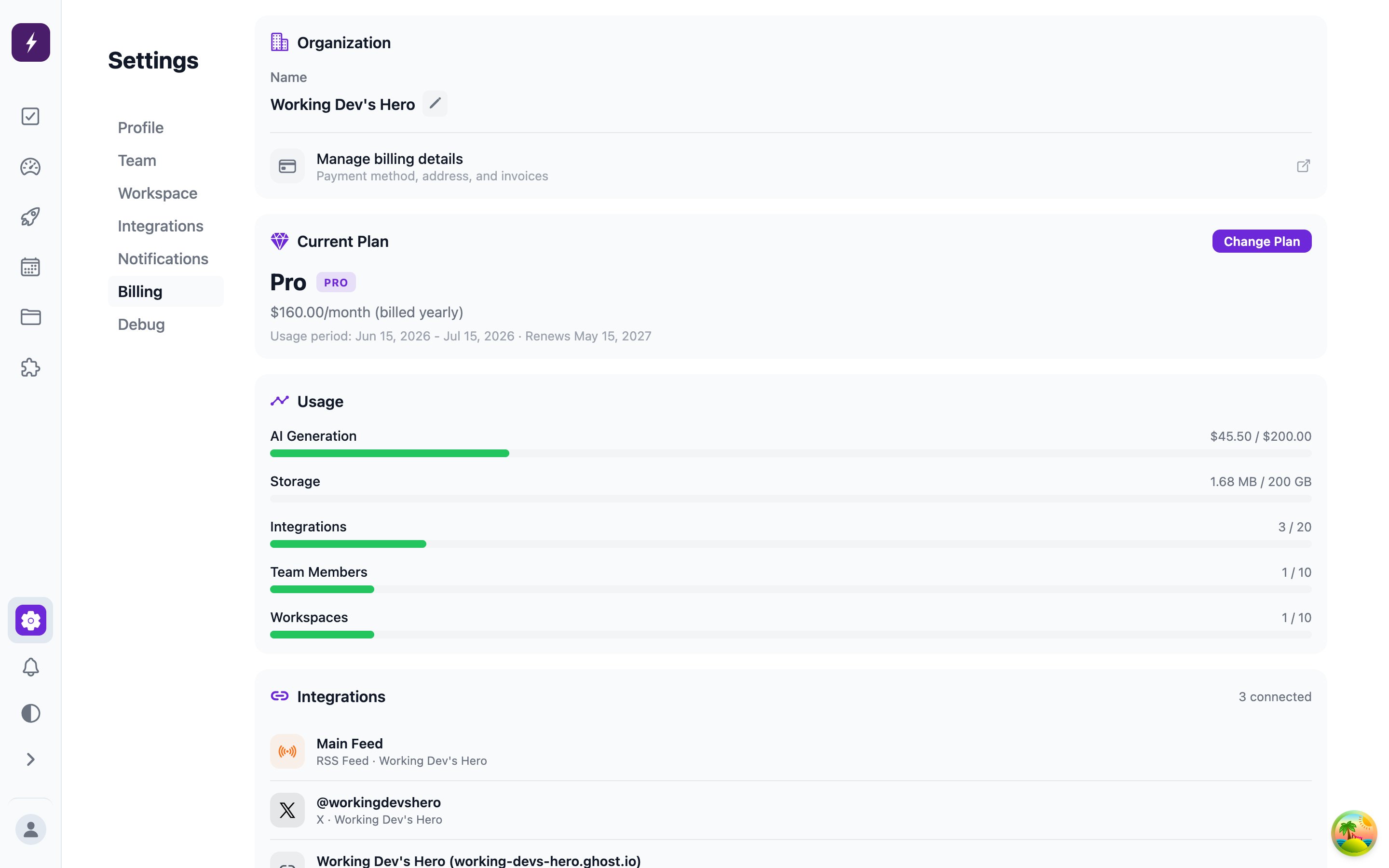
usage limit reached notification fires so it’s never a silent failure. Running out of AI budget offers Add credits instead. AI usage is metered by actual model cost, and the included budget resets monthly.