The board
The Tasks board shows every task as a card moving through the pipeline: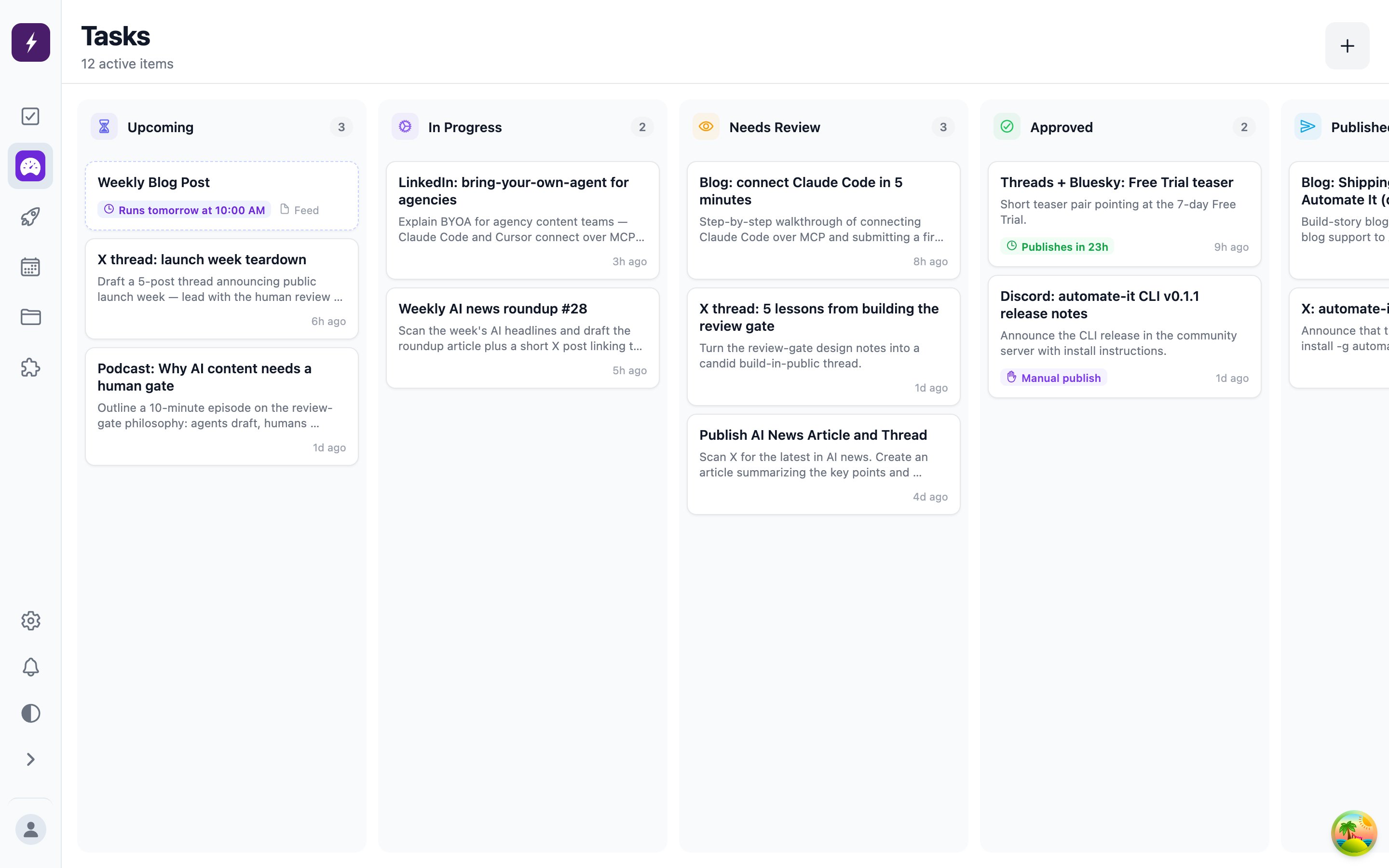
Tasks that hit an error show as
failed and can be retried by an admin; deleted tasks are hidden, not destroyed.
Who does the work
By default a new task is picked up by Automate It’s built-in worker, which drafts the content with AI. A task can instead be assigned to a teammate — or claimed by an external agent — in which case the built-in worker leaves it alone entirely.Task detail
Open any card to see:- Content items — one per output type, editable before approval.
- Comments — the conversation between the worker and reviewers, including rejection feedback.
- Activity — a timeline of every status change, updating live while a worker runs.