> ## Documentation Index
> Fetch the complete documentation index at: https://docs.automate.it.com/llms.txt
> Use this file to discover all available pages before exploring further.
# Settings & notifications
> Profile, workspace configuration, API keys, and how you get notified
## Profile
Your name, avatar, and account security live on the **Profile** screen. So do **API keys** — scoped `ak_…` keys for connecting agents and scripts, created with a scope picker and shown exactly once. See [API keys & scopes](/api-keys) for how to scope them safely.
## Workspace
Workspace settings cover the workspace name and slug plus its AI model defaults — including which image model the worker uses when [generating images](/workspace/media#ai-generated-images). Each workspace is fully separate: its own tasks, files, integrations, and team.
## Notifications
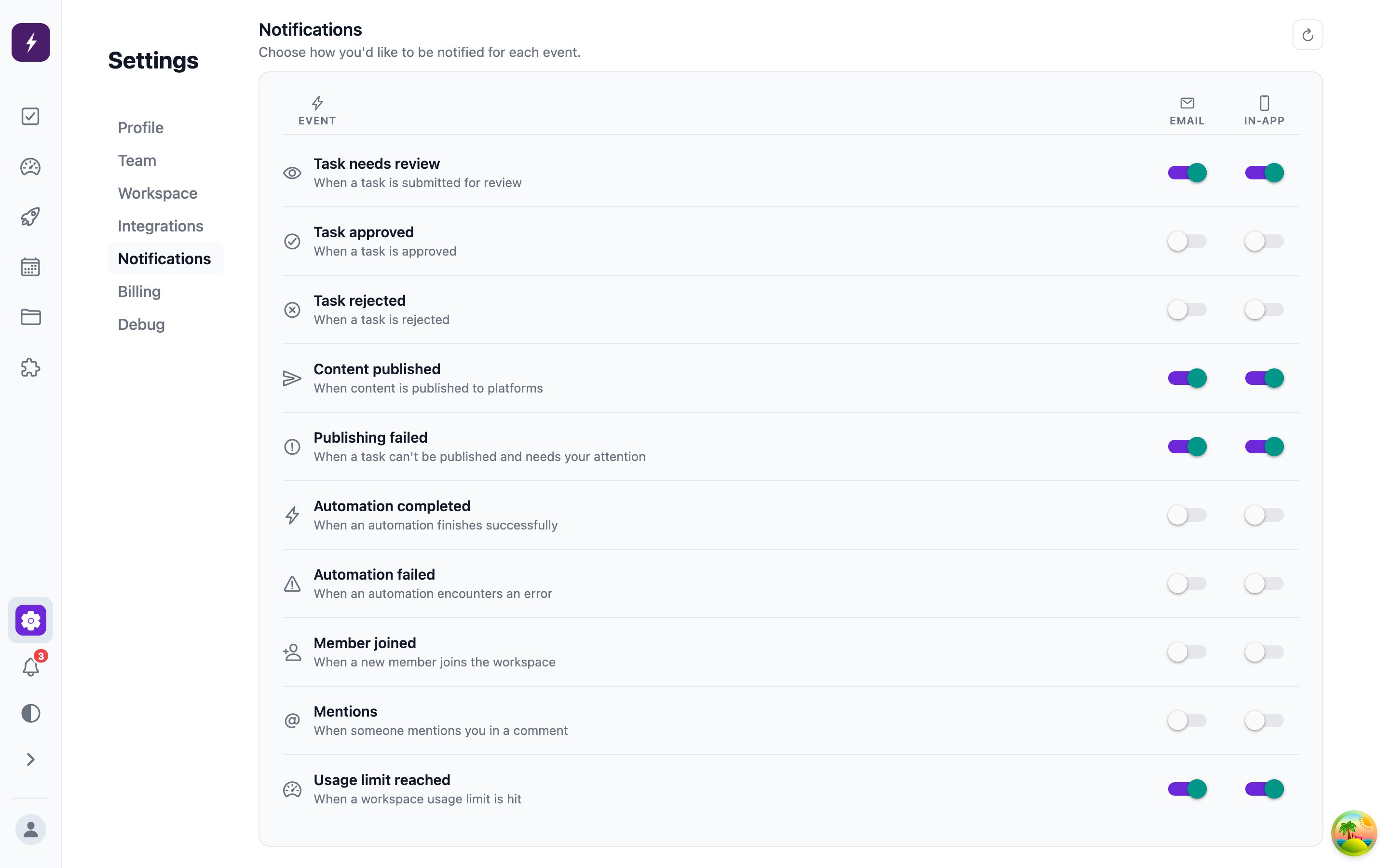
Automate It notifies you when the pipeline needs you or finishes something:
* Task events — needs review, approved, rejected, published, publish failed
* Automation runs — completed or failed
* Workspace events — member joined, mentions, usage limit reached
Delivery is configurable per event type under **Settings → Notifications**, with two channels: **Email** and **In-app** (which also covers mobile push). Most people keep *needs review* loud everywhere and quiet the rest.