> ## Documentation Index
> Fetch the complete documentation index at: https://docs.automate.it.com/llms.txt
> Use this file to discover all available pages before exploring further.
# Media & files
> The workspace file library — context in, published assets out
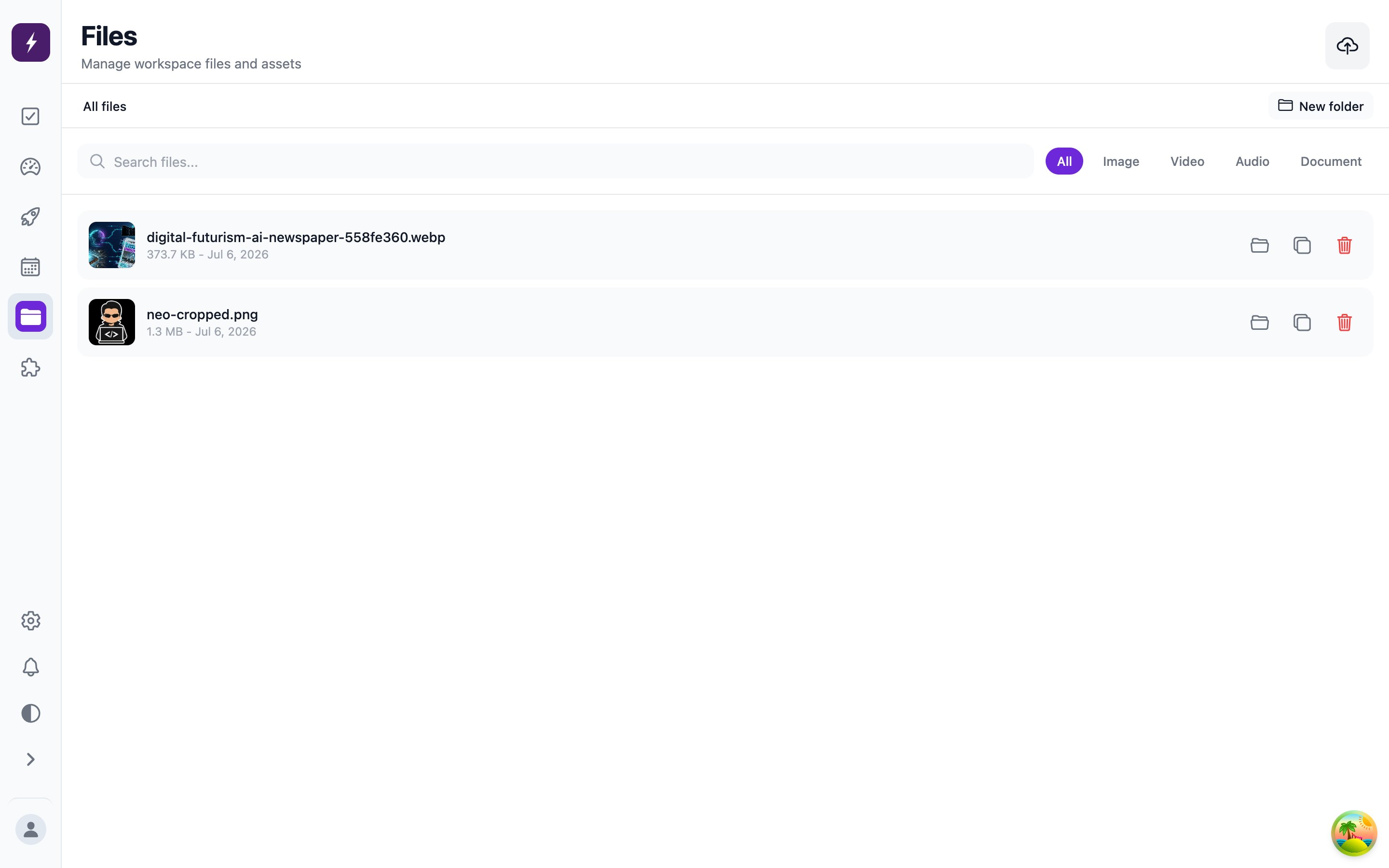
The **Files** screen is your workspace's shared library. Files flow both directions: you upload reference material and media for the worker to use, and generated output (including AI-generated images) lands here too. Organize with folders; attach files or whole folders to tasks, automations, and [skills](/workflow/skills).
 ## Upload limits
| Kind | Formats | Max size |
| --------- | ------------------------------------------------ | -------- |
| Images | JPEG, PNG, GIF, WebP, BMP, SVG, HEIC, HEIF, AVIF | 25 MB |
| Video | MP4, MOV, WebM, MKV | 100 MB |
| Audio | MP3, WAV, etc. | 50 MB |
| Documents | PDF, Office | 25 MB |
| Text | Plain text, Markdown | 5 MB |
These are storage limits — individual platforms enforce their own rules at publish time (X's character limit, Bluesky's four-image cap), and Automate It validates against those before posting.
Total storage is bounded by your [plan](/workspace/billing); current usage shows on the Billing screen.
## AI-generated images
The worker can generate images while drafting content, using the image model configured in your [workspace settings](/workspace/settings). Generated images are saved as workspace files and attached to the task's content, so you review them exactly like the copy.
## Upload limits
| Kind | Formats | Max size |
| --------- | ------------------------------------------------ | -------- |
| Images | JPEG, PNG, GIF, WebP, BMP, SVG, HEIC, HEIF, AVIF | 25 MB |
| Video | MP4, MOV, WebM, MKV | 100 MB |
| Audio | MP3, WAV, etc. | 50 MB |
| Documents | PDF, Office | 25 MB |
| Text | Plain text, Markdown | 5 MB |
These are storage limits — individual platforms enforce their own rules at publish time (X's character limit, Bluesky's four-image cap), and Automate It validates against those before posting.
Total storage is bounded by your [plan](/workspace/billing); current usage shows on the Billing screen.
## AI-generated images
The worker can generate images while drafting content, using the image model configured in your [workspace settings](/workspace/settings). Generated images are saved as workspace files and attached to the task's content, so you review them exactly like the copy.