> ## Documentation Index
> Fetch the complete documentation index at: https://docs.automate.it.com/llms.txt
> Use this file to discover all available pages before exploring further.
# Integrations
> Connect the places your content publishes to
Integrations are your publishing destinations. Connect them once under **Settings → Integrations**; from then on, publishing never needs credentials from you — Automate It holds the connection and posts on your behalf. That's also what makes it safe to let [agents](/developers/overview) draft content: they never touch your accounts.
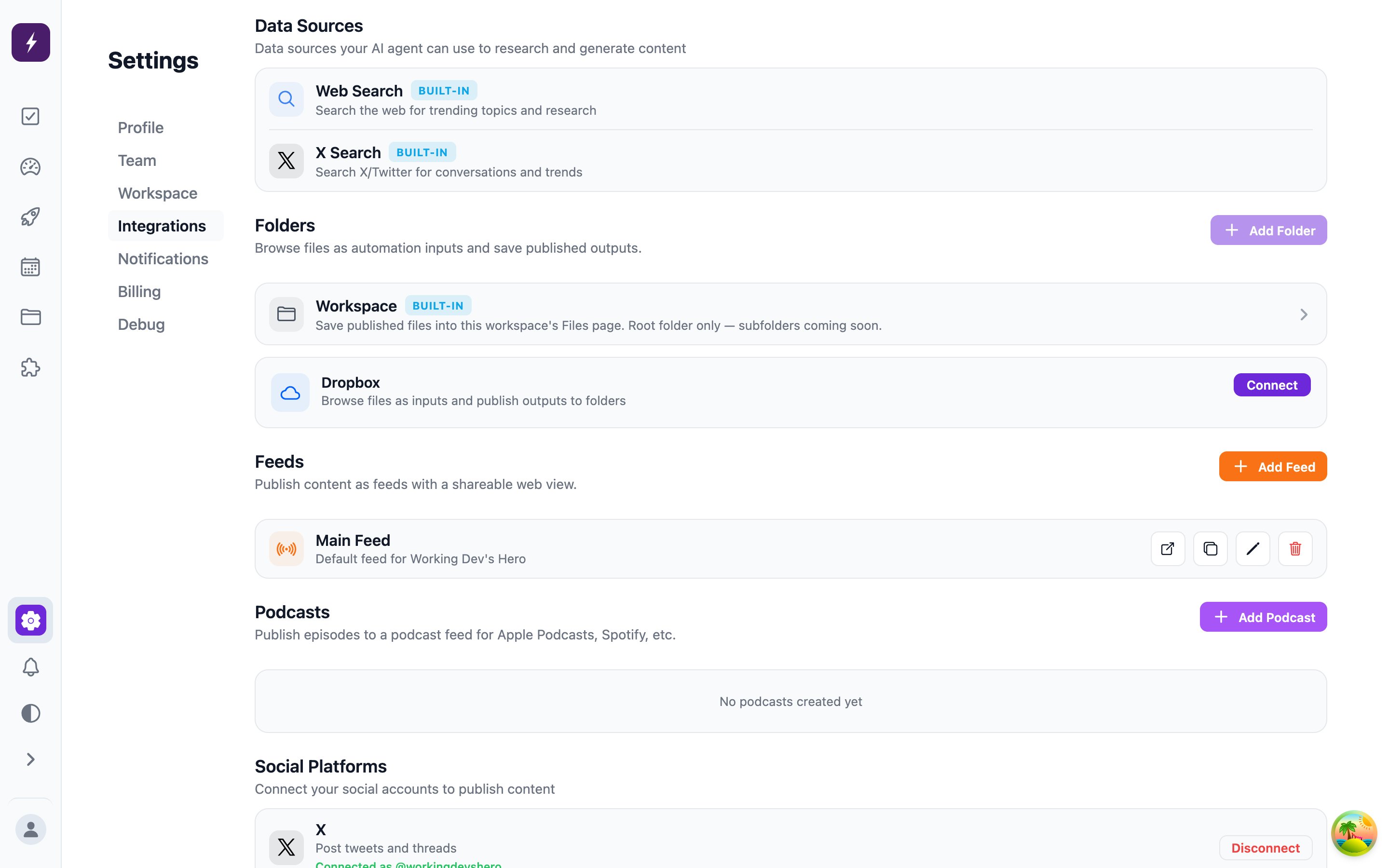 The screen also lists two built-in **data sources** — Web Search and X Search — which the worker uses for research while drafting; they're always on and need no setup.
## Destinations
| Destination | Connection | Notes |
| --------------- | --------------------- | -------------------------------------------------------------------- |
| X | OAuth | Post length is validated against your account's real character limit |
| LinkedIn | OAuth | |
| Instagram | OAuth | |
| Facebook | OAuth | |
| Threads | OAuth | |
| Bluesky | App password | Up to 4 images per post |
| Discord | Webhook / OAuth | Posts to a channel |
| Ghost | Admin API key | Publishes long-form posts to your Ghost blog |
| RSS feed | Hosted by Automate It | See below |
| Podcast | Hosted by Automate It | RSS with audio enclosures — point any podcast app at it |
| Dropbox | OAuth | Delivers finished files into a Dropbox folder |
| Workspace files | Built in | Saves output into your [workspace files](/workspace/media) |
## Hosted RSS and podcast feeds
RSS and podcast integrations don't connect to an external service — Automate It **hosts the feed for you**. Creating one gives you a public feed URL and a web view URL you can hand to any reader or podcast app; published articles and episodes appear in it automatically. A workspace can host several feeds, each with its own slug, and tasks target a specific feed by slug.
## Limits and removal
The number of connected integrations is bounded by your [plan](/workspace/billing). You can't remove your last active integration — a workspace always keeps at least one place to publish. Removing a feed that automations still target will warn you first.
The screen also lists two built-in **data sources** — Web Search and X Search — which the worker uses for research while drafting; they're always on and need no setup.
## Destinations
| Destination | Connection | Notes |
| --------------- | --------------------- | -------------------------------------------------------------------- |
| X | OAuth | Post length is validated against your account's real character limit |
| LinkedIn | OAuth | |
| Instagram | OAuth | |
| Facebook | OAuth | |
| Threads | OAuth | |
| Bluesky | App password | Up to 4 images per post |
| Discord | Webhook / OAuth | Posts to a channel |
| Ghost | Admin API key | Publishes long-form posts to your Ghost blog |
| RSS feed | Hosted by Automate It | See below |
| Podcast | Hosted by Automate It | RSS with audio enclosures — point any podcast app at it |
| Dropbox | OAuth | Delivers finished files into a Dropbox folder |
| Workspace files | Built in | Saves output into your [workspace files](/workspace/media) |
## Hosted RSS and podcast feeds
RSS and podcast integrations don't connect to an external service — Automate It **hosts the feed for you**. Creating one gives you a public feed URL and a web view URL you can hand to any reader or podcast app; published articles and episodes appear in it automatically. A workspace can host several feeds, each with its own slug, and tasks target a specific feed by slug.
## Limits and removal
The number of connected integrations is bounded by your [plan](/workspace/billing). You can't remove your last active integration — a workspace always keeps at least one place to publish. Removing a feed that automations still target will warn you first.