> ## Documentation Index
> Fetch the complete documentation index at: https://docs.automate.it.com/llms.txt
> Use this file to discover all available pages before exploring further.
# Creating content
> Describe what you want in plain English; pick where it should go
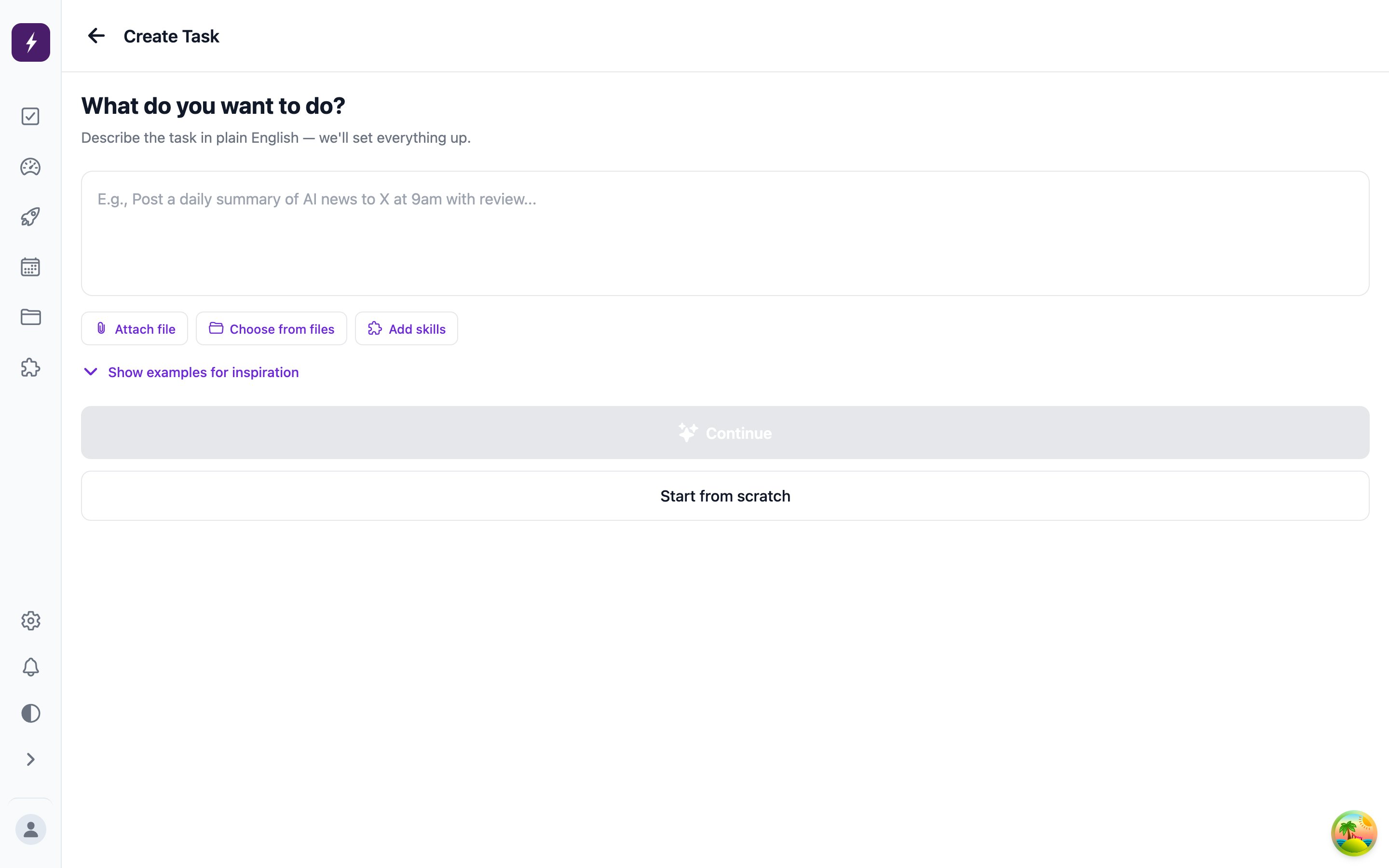
Hit **Create** and write a brief the way you'd hand it to a colleague: *"Announce the v2 launch — upbeat, developer audience, mention the new API."* Automate It parses the brief and sets the task up — output types, schedule, review — for you to confirm; **Start from scratch** gives you the manual form instead.
 ## Output types
One task can produce several pieces at once — pick any combination:
* **Short-form**: X, LinkedIn, Facebook, Instagram, Threads, Discord, Bluesky
* **Long-form**: article, email, RSS article, podcast episode
* **Other**: carousel, spreadsheet, document
Each selected type becomes its own content item on the task, drafted to fit that platform's format and length.
## Publish timing
Every task has a publish mode:
* **Manual** (default) — after approval, nothing goes out until you press **Publish**.
* **Immediate** — publishes the moment it's approved.
* **Scheduled** — publishes at a date and time you set; scheduled tasks appear on the [Schedule calendar](/workflow/automations#the-schedule-calendar).
## Give the worker context
Attach workspace [files](/workspace/media) or [skills](/workflow/skills) to the task and the worker reads them before drafting — brand voice, product background, reference material. The worker can also generate images for the content using your workspace's configured image model.
For content you want on a rhythm — a weekly digest, daily posts — don't create tasks by hand; set up an [automation](/workflow/automations).
## Output types
One task can produce several pieces at once — pick any combination:
* **Short-form**: X, LinkedIn, Facebook, Instagram, Threads, Discord, Bluesky
* **Long-form**: article, email, RSS article, podcast episode
* **Other**: carousel, spreadsheet, document
Each selected type becomes its own content item on the task, drafted to fit that platform's format and length.
## Publish timing
Every task has a publish mode:
* **Manual** (default) — after approval, nothing goes out until you press **Publish**.
* **Immediate** — publishes the moment it's approved.
* **Scheduled** — publishes at a date and time you set; scheduled tasks appear on the [Schedule calendar](/workflow/automations#the-schedule-calendar).
## Give the worker context
Attach workspace [files](/workspace/media) or [skills](/workflow/skills) to the task and the worker reads them before drafting — brand voice, product background, reference material. The worker can also generate images for the content using your workspace's configured image model.
For content you want on a rhythm — a weekly digest, daily posts — don't create tasks by hand; set up an [automation](/workflow/automations).